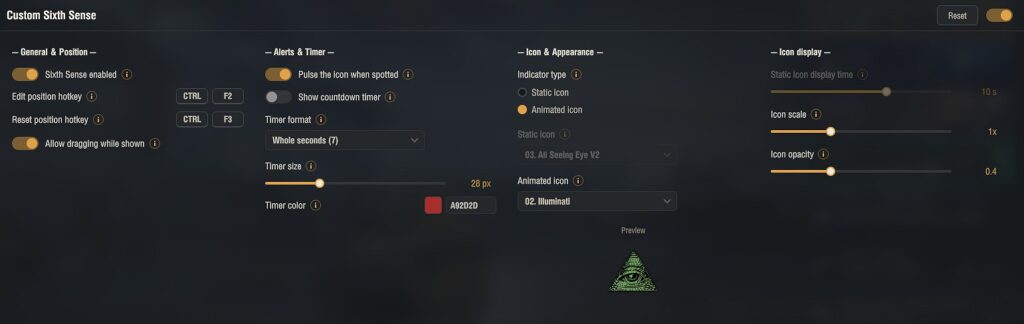
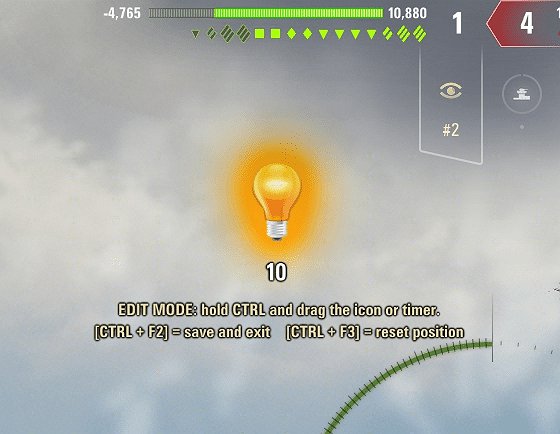
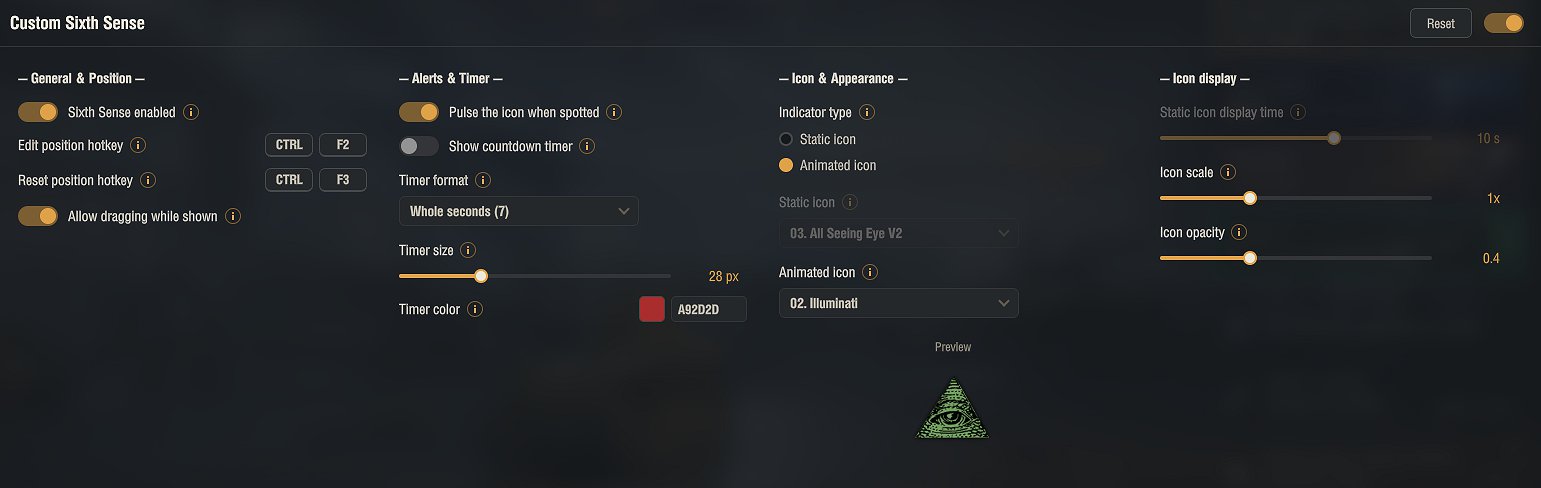
Custom Sixth Sense replaces the Sixth Sense indicator with a fully customizable one that you set up in the garage.
Pick a static or animated icon, move it anywhere on the screen, and adjust how it looks. It comes with a large set of ready-made icons, and you can add your own.
Options:
• Choose a static or animated icon, or add your own
• Drag the icon and the optional countdown timer anywhere on screen
• Adjust the display time, icon scale, opacity and an attention pulse
• Optional countdown timer with custom size, color and format
Your own icons: put a SixthSense.png file in a new folder inside mods/configs/Aslain/customsixthsense/static, then restart the game. Animated icons go in mods/configs/Aslain/customsixthsense/animated with their frames and a config.json.
All settings are available in the garage through the in-game Mod configurator (mod settings menu). The configuration is saved to %APPDATA%\Wargaming.net\WorldOfTanks\mods\Aslain\customsixthsense\customsixthsense.json
Fair play: the optional countdown is only a fixed reminder based on known game timings that you set yourself. It does not read or show the real live spotted state, and when it ends it does not mean you are no longer spotted. The mod does not reveal any hidden information.
Installation
1. Download the archive.
2. Open it and copy the mods folder into your World of Tanks game folder. The mod goes into mods\[version]\ (the version folder changes after each game update) and the icon set into mods\configs. The archive already has the correct structure, so a normal extract puts everything in place.
3. Confirm overwriting if asked.
4. Start the game.
Open the settings in the garage through the Mod configurator (mod settings menu). The archive already contains the settings library (modsSettingsApi) needed for that menu; without it the mod runs with default settings.
Credits:
Aslain
Downloads
| Name | Format | Size |
|---|---|---|
| CustomSixthSense_1.1.01_2.4.0.1.zip | ZIP | 18.60 MB |
To start download click the filename. To open archive files use one of these programs: WinRAR, 7-Zip, WinZip. Some mod archives may need to be extracted before the mods will work.